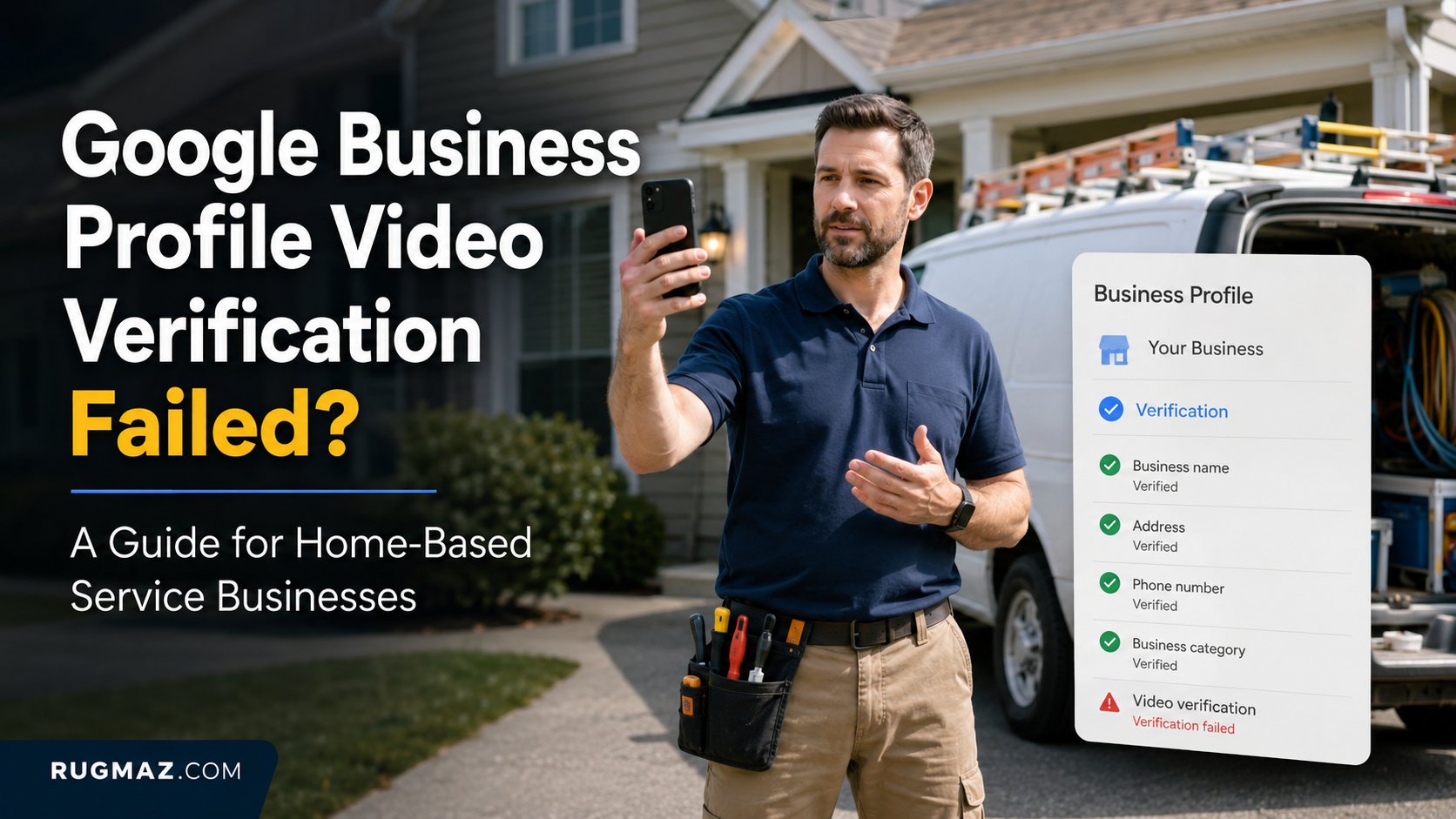
You followed the instructions, recorded your tools and submitted the video. A few days later, your Google Business Profile still showed “Verification required” or asked you to record another video.
The frustrating part is that Google may not clearly explain what was missing.
For a shop, verification can be straightforward. The owner can show a permanent sign, entrance, counter and staff-only area. A home-based plumber, cleaner, electrician or mobile mechanic has a different problem: there may be no public sign, customer entrance or reception desk to record.
A rejected video does not always mean your business is ineligible. It usually means the recording did not create a clear enough connection between:
- The location connected to the profile
- The service the business genuinely provides
- The person authorised to manage it
Google requires the video to be recorded live through your Business Profile on a mobile device. It must be unique, continuous, unedited and at least 30 seconds long. A video saved in your phone gallery cannot be uploaded later.
This guide explains what to show next, what not to waste time recording and how to diagnose the real reason your first video failed.

Why Did My Google Business Profile Video Verification Fail?
A verification video usually fails because one part of the business story remains unclear.
You may have shown your tools but not the operating location. You may have shown your house number but not proved that a business operates there. You may have recorded a branded vehicle but not demonstrated that you control it.
There can also be a deeper problem outside the video:
- The profile uses a different business name from your documents
- Your home address is displayed as a public shop
- Your category does not match the service shown
- Your website contains an old address or telephone number
- The business is online-only and may not be eligible
- A duplicate profile already exists
- The address is a mailbox or virtual office
Before recording again, decide whether you have a recording problem or a profile problem. A better camera angle will not fix inaccurate profile information.
For wider visibility problems that are not limited to verification, read Rugmaz’s guide on why your business is not showing on Google Maps.
What Should Your Video Prove for GMB verification?
Your verification video should prove three things in one continuous recording:
Google’s official video verification guidance says service-area businesses should show their operating location, business activity and proof that they manage or represent the business.
Location proof
Google needs to understand where the business operates from.
Business proof
Google needs to see that the business genuinely provides the services listed on the profile.
Management proof
Google needs evidence that you own or manage the business.
A video may fail when it proves only one or two of these points.
For example, showing a house number proves a location, but it does not prove that a plumbing business operates there.
Showing tools proves that work may happen, but it does not prove that you own or manage the business.
The strongest video connects all three points clearly.
What Does Google Need to See in a Verification Video?
Google’s requirements for service-area businesses can be understood through three types of proof.
1. Proof of the operating location
Google needs to connect the recording to the address used privately for verification.
This does not mean that your home address must be displayed publicly. It means the video needs enough local context to show that you are recording from the correct operating base.
Useful evidence includes:
- A readable street sign
- House, building or unit number
- A nearby junction or recognisable landmark
- Neighbouring buildings
- Your work vehicle parked at the property
- The entrance to your garage, storage area or workspace
Google advises home-based service businesses to show signs and landmarks in their immediate neighbourhood and warns against recording empty land or locations without clear identifiers.
2. Proof that the business exists
The reviewer should be able to understand what your company does without relying only on your spoken explanation.
Show tools, products and materials that clearly match your category.
For example:
- A plumber can show pipe tools, fittings and testing equipment
- An electrician can show voltage testers, cable and insulated tools
- A cleaner can show commercial machines, supplies and protective equipment
- A mobile mechanic can show diagnostic tools, jacks and vehicle parts
- A landscaper can show mowers, trimmers and safety equipment
A laptop, business card and mobile phone may be genuine business assets, but they are weak evidence for a trade business when shown without its working equipment.
3. Proof that you manage the business
This is the requirement many videos fail to prove.
Do not only point the camera at a van, garage or box of tools. Demonstrate control over an asset or system that a member of the public could not normally access.
You can:
- Unlock and open the work van
- Open secured tool storage
- Enter a private work area
- Access the business phone
- Open the appointment or invoicing system
- Show access to the company website dashboard
- Unlock equipment used for customer work
Google describes proof of management as showing access to business-only assets or areas.
The Rugmaz Three-Proof Test
Before submitting your next video, use this simple test.
1. Can a reviewer identify the location?
Your recording should make it possible to connect the video with the private operating address used for verification.
Useful location evidence includes:
- Street-name signs
- House or unit number
- Nearby landmarks
- Recognisable road features
- Neighbouring businesses
- Your work vehicle parked at the location
2. Can a reviewer understand the business?
The equipment and materials shown should match your profile category and services.
A cleaner should show cleaning equipment. An electrician should show electrical tools. A mobile mechanic should show diagnostic equipment and vehicle tools.
3. Can a reviewer see that you manage it?
Show access to an asset, system or area that an ordinary visitor would not control.
You could:
- Unlock a work vehicle
- Open a locked tool store
- Access a business booking system
- Show control of the business telephone
- Open a staff-only workspace
- Access the website or business email account
Do not expose passwords, customer information or financial details.
If your video fails any part of this test, strengthen it before recording.
How Do I Verify a Home-Based Business Without a Storefront?
You do not need to pretend that your home is a shop.
When customers do not visit your address, the profile should normally be configured as a service-area business, and the public address should remain hidden. Google specifically states that businesses that do not serve customers at their location should not add that address publicly.
Start the video outside your genuine operating base and establish the neighbourhood. Then move towards the assets connected to your work.
A home-based electrician might record:
- The street name and house number
- The work van parked on the driveway
- The van being unlocked
- Electrical tools and safety equipment inside
- Matching business branding or documentation
- Access to the business calendar or telephone
The house itself does not need to look commercial. The evidence needs to prove that a legitimate service business is managed from that location.
Do not use a customer’s house, a relative’s property or a rented meeting room simply because it looks more professional.

Can You Verify a Google Business Profile From Home?
A genuine home-based service business may be verified from its operating address.
However, you should not present a residential property as a public storefront when customers do not visit it.
Before recording, make sure the profile follows Google’s business representation guidelines, particularly the rules for addresses, virtual offices and service-area businesses.
Your profile should be configured as a service-area business.
That usually means:
- The private operating address is accurate
- The address is hidden from customers
- The service areas are realistic
- The business meets customers in person
- The company genuinely operates from the address
A normal house exterior is not enough on its own.
The recording must show how the property connects to the business. That connection may come from tools, work materials, a vehicle, documents, a workspace or management access.
Do not use:
- A PO box
- A mailbox
- A false office
- A relative’s address
- A virtual location where you do not operate
- A customer’s address as your business base
What If I Have No Branded Van or Permanent Business Sign?
A lack of vehicle branding does not automatically make verification impossible.
Permanent branding can strengthen the evidence, but it should not be replaced with misleading or temporary signs created only for the recording.
Use several consistent forms of proof instead:
- Business registration with the matching trading name
- Trade licence or insurance certificate
- Printed quotations or invoices
- Branded workwear
- Business cards
- Equipment labels
- Website displaying the same name and telephone number
- Business email using the company domain
- Access to the business phone or booking system
The important word is consistent.
If your profile says “Brighton Emergency Plumbing” but your registration, website and invoices say “Jones Property Maintenance Ltd,” the reviewer may not understand the relationship.
Correct legitimate naming differences before recording. Do not add keywords to your Business Profile name simply to improve rankings.
What Google Is Trying to Confirm
Think about the video from the reviewer’s point of view.
The reviewer does not know your company. They cannot visit your premises or ask questions while watching the video.
Your recording should answer three simple questions.
Is this the correct operating location?
Begin outside.
Show enough context to connect the video with the location used for verification.
Do not begin inside a dark garage or office without first showing where the property is.
Useful footage may include:
- Street sign
- Building number
- Entrance
- Nearby property
- Work vehicle
- Surrounding road
Keep your camera steady and move slowly enough for important details to be seen.
Does this business genuinely operate?
Show physical evidence of normal work.
Useful examples include:
- Trade tools
- Equipment
- Stock
- Protective clothing
- Product supplies
- Work materials
- Printed quotations
- Branded packaging
- Appointment records without customer details
The evidence should fit the services shown on your profile and website.
Does the person recording control the business?
Show yourself accessing something connected to business management.
For example:
- Unlock the van
- Open a locked storage area
- Access the appointment system
- Show the business telephone
- Open the website dashboard
- Unlock a tool cabinet
- Enter a staff-only area
You do not need to speak throughout the video unless the verification process asks you to do so. Clear visual proof is more important than a long explanation.
A Strong One-Take Recording Route
Plan the complete route before pressing record.
Do not combine separate clips or edit the video.
Step 1: Start at the street
Show:
- Street name
- House or building number
- Nearby location details
- Work vehicle, where available
This establishes the operating area.
Step 2: Approach the property or vehicle
Walk naturally towards the business-related area.
This may be:
- Garage
- Storage room
- Driveway
- Home office
- Work van
- Equipment area
Step 3: Demonstrate access
Unlock the vehicle, storage room or equipment cabinet.
This begins to prove that you control the business assets.
Step 4: Show relevant equipment
Record the tools and materials used for your normal services.
Arrange them clearly before starting. Do not create a false scene, but make genuine evidence easy to understand.
Step 5: Show business identity
Useful identity evidence may include:
- Branded vehicle
- Uniform
- Business cards
- Printed quotations
- Company logo
- Website
- Business telephone
- Branded documents
A branded vehicle helps, but it is not the only way to prove the business.
Step 6: Show a supporting document
You may briefly show:
- Business registration
- Trade licence
- Insurance document
- Recent invoice
- Utility bill
- Tax document
The business name and relevant address should match the profile where appropriate.
Cover account numbers and other private information.
Step 7: Finish with management proof
End by showing control of a business system or asset.
For example, unlock the van, access the business calendar or show the company website dashboard.
What Should I Not Show in the Verification Video?
Google prohibits sensitive or private information and other people’s faces in the recording.
Avoid showing:
- Bank account details
- Tax numbers
- Full identity-document numbers
- Passwords
- Customer names and addresses
- Children or family members
- Customer vehicle number plates
- Confidential invoices
- Private areas of your home that do not support verification
Prepare every document before starting. Cover details that are not needed while leaving the business name and relevant address readable.
Why Was My Video Rejected Even Though I Showed Everything?
The issue may be clarity rather than quantity.
A reviewer might not have been able to:
- Read the street or building number
- See the business name clearly
- Connect the tools to the listed category
- Confirm that you controlled the vehicle
- Understand the relationship between the legal and trading names
- Match the operating location with your profile
- See documents long enough to read them
Recent competitor guides also note that common practical failures include starting indoors, unclear branding, name mismatches, shaky footage and missing management proof.
Record in daylight when possible. Clean the phone camera. Use a stable connection and keep location services enabled. Hold the camera still for important signs, branding and documents.
Do not make the next video longer merely to include more objects. Make each required proof easier to recognise.
Can Incorrect Profile Information Cause Video Verification to Fail?
Yes. The video and the profile should describe the same real business.
Before your next attempt, compare the following:
| Profile element | What to verify |
|---|---|
| Business name | Matches genuine public branding and documents |
| Primary category | Matches the main service and equipment shown |
| Private address | Correct operating address |
| Public address | Hidden if customers do not visit |
| Telephone number | Belongs to the business |
| Website | Shows matching name, services and contact details |
| Service areas | Reflect places genuinely served |
| Business model | Includes real in-person customer contact |
If the website contains inconsistent details, correct them before recording. The website is another source Google and customers can use to understand the business.
For broader website issues, read Why Is My Website Not Ranking on Google?.
Is an Online-Only Business Eligible for Google Business Profile?
Not every home-based company is a service-area business.
A service-area business normally travels to customers or meets them in person. A company that operates entirely online and never has in-person contact may not qualify for a standard Business Profile.
This distinction matters for:
- Online consultants
- Remote marketing agencies
- Virtual assistants
- Ecommerce stores
- Software businesses
Do not claim a service area merely because customers live in those locations. The business must operate in a way that meets Google’s eligibility rules.
A perfect video cannot solve an ineligible business model.
What Should I Do Before Recording the Video Again?
Complete this audit:
- Confirm that you are signed into the correct Google account.
- Check that the real business name is used.
- Confirm that the primary category matches your main service.
- Check the private operating address.
- Hide the address if customers do not visit.
- Review the website name, phone number and address.
- Search Google Maps for duplicate profiles.
- Prepare tools that clearly match the category.
- Prepare one readable supporting document.
- Decide how you will prove management access.
- Plan a continuous walking route.
- Remove private information from view.
- Enable camera permissions and location services.
- Check battery, lighting and internet stability.
Google chooses which verification methods are available. Businesses cannot simply request phone, email or postcard verification because video is inconvenient.
What Should I Do If My Second Video Is Rejected?
Do not create a new Business Profile. That can introduce a duplicate listing and make the problem harder to resolve.
Return to the three areas:
Location unclear
Record stronger street, building and neighbourhood identifiers.
Business activity unclear
Show more category-specific equipment and less generic office material.
Management unclear
Demonstrate access to the vehicle, tools, workspace or business system.
Also check whether the profile is now asking for reverification, showing a restriction or displaying a different error.
If the profile has been suspended rather than merely left unverified, use Rugmaz’s Google Business Profile suspension and reinstatement guide because suspension requires a different recovery process.
When repeated correct recordings fail or the verification option disappears, use the official Google Business Profile Help Centre to request support. Google’s own video-verification page also provides a contact route for businesses needing further help.
Why Verification Videos Get Rejected
Google may not always provide a detailed explanation. However, rejected videos often have similar weaknesses.
The location is unclear
A recording made only inside a room, garage or van may not prove where the business is based.
Fix
Start outside and show street or property details.
The video proves the address but not the business
A house number does not prove that a cleaning, electrical or plumbing business operates there.
Fix
Add relevant equipment, work materials, branding and documents.
The equipment does not match the profile
Generic office items may not support a profile listed as a plumber, mechanic or electrician.
Fix
Show tools and materials directly related to your main category.
There is no proof of management
Anyone could record tools or a parked vehicle.
Fix
Unlock an asset, access a business system or show control of the working area.
The video contains cuts
An edited montage may not meet the verification requirement.
Fix
Record one continuous route from start to finish.
The profile information conflicts with the evidence
Your profile may show one business name while the website or documents show another.
Your website should support the same business name, location and services shown on the profile. For broader organic visibility issues, review why your website is not ranking on Google.
Other conflicts may include:
- Different address
- Wrong telephone number
- Unrelated category
- Another brand on the website
- Storefront selected for a residential location
Fix
Correct the profile and website before recording again.
The service-area setup is wrong
Your address may be publicly visible even though customers do not visit you.
Fix
Hide the address and use genuine service areas.
What Not to Show
Protect your privacy and your customers.
Avoid recording:
- Customer faces
- Children
- Customer addresses
- Customer number plates
- Bank information
- Passwords
- Full identity-document numbers
- Confidential invoices
- Private family rooms
- Sensitive appointment details
Prepare documents before recording and cover information that Google does not need to see.
What to Do After a Failed Verification
Do not immediately record the same video again.
If your profile has been suspended or disabled rather than simply rejected during verification, follow our Google Business Profile suspension recovery guide.
First, review what may have been missing.
Step 1: Open your profile
Sign in to the Google Account that manages the profile.
Search for your business name or open the Business Profile management interface.
Step 2: Check the verification status
Look for messages such as:
- Get verified
- Verification required
- Processing
- Video rejected
- Reverify your business
Step 3: Review the profile
Check:
- Business name
- Primary category
- Address
- Service area
- Telephone number
- Website
- Opening hours
Make sure the website and profile represent the same business.
Step 4: Use the Three-Proof Test
Ask:
- Was the location clear?
- Was the business activity clear?
- Was management control clear?
Identify the weakest area.
Step 5: Record a clearer video
Do not simply make the video longer.
Make the missing evidence easier to understand.
Step 6: Monitor the status
After submitting, check the profile for updates.
Do not create another listing while verification is pending.
Step 7: Contact support when necessary
Contact Google Business Profile support when:
- The same correct video is repeatedly rejected
- No verification option appears
- The available option cannot be completed
- Your profile has a policy or account restriction
- The profile asks for verification again after successful completion
Provide clear facts and consistent supporting evidence.
Has your verification video been rejected more than once? Contact Rugmaz for a Google Business Profile review before recording again.

Ten-Minute Audit Before Recording Again
Confirm that the private operating address follows Google’s Business Profile address requirements before recording again.
Use this checklist:
- Is the real business name used?
- Is the primary category accurate?
- Is the private operating address correct?
- Is the address hidden from customers where required?
- Are the service areas realistic?
- Does the website show matching details?
- Do your documents support the business name?
- Can you show relevant equipment?
- Can you prove control of an asset?
- Can everything be recorded in one continuous route?
For other local visibility problems, read Why Is My Business Not Showing on Google Maps?
Final Thoughts
A home-based service business does not need to pretend it has a shop to pass Google Business Profile video verification.
It needs to prove three things clearly:
- The operating location is real
- The business genuinely provides the listed services
- The person recording manages the business
Start outside. Establish the location. Show relevant tools and working materials. Provide matching business evidence. Demonstrate access to an asset or system.
If your first video was rejected, do not simply record the same route again.
Ask which part of the Three-Proof Test was weak.
Was the location unclear? Did the equipment fail to match the business category? Was management authority missing? Did the profile conflict with your documents or website?
Correct the weak point before your next submission.
Has your verification video been rejected more than once? Rugmaz can review your Business Profile setup, category, address configuration, service areas and supporting evidence before your next attempt. Request a Google Business Profile verification audit to reduce avoidable errors and improve your local visibility.
Rugmaz provides SEO services for UK businesses, including local visibility reviews, website optimisation and Google Business Profile support.
Frequently Asked Questions
How long does video verification take?
Processing time can vary. Check the profile for updates and avoid making unnecessary changes while verification is being reviewed.
Do I need permanent signage?
A service-area business without a public storefront may use other evidence, such as equipment, documents, branding, vehicle access and proof of management.
Do not create fake signage.
Can I upload a previously recorded video?
Use the recording method provided through your Business Profile. Do not create an edited promotional video or combine separate clips.
Can I verify from my home address?
Yes, when the business genuinely operates from that location. The address should remain hidden if customers do not visit it.
What happens if my second video is rejected?
Review the Three-Proof Test again. Strengthen the weakest area and check for mismatched information before trying again.
Can I show digital documents?
You may show relevant business information on a device, but physical evidence and real operational proof usually make the complete story clearer.
Why is no other verification method available?
Google decides which verification options are available. Businesses cannot always choose phone, email or post instead of video. Google automatically decides which Business Profile verification methods are available based on factors such as business type, public information and region.
Should I create a new profile?
No. Creating another profile can cause duplicate-listing and ownership problems.