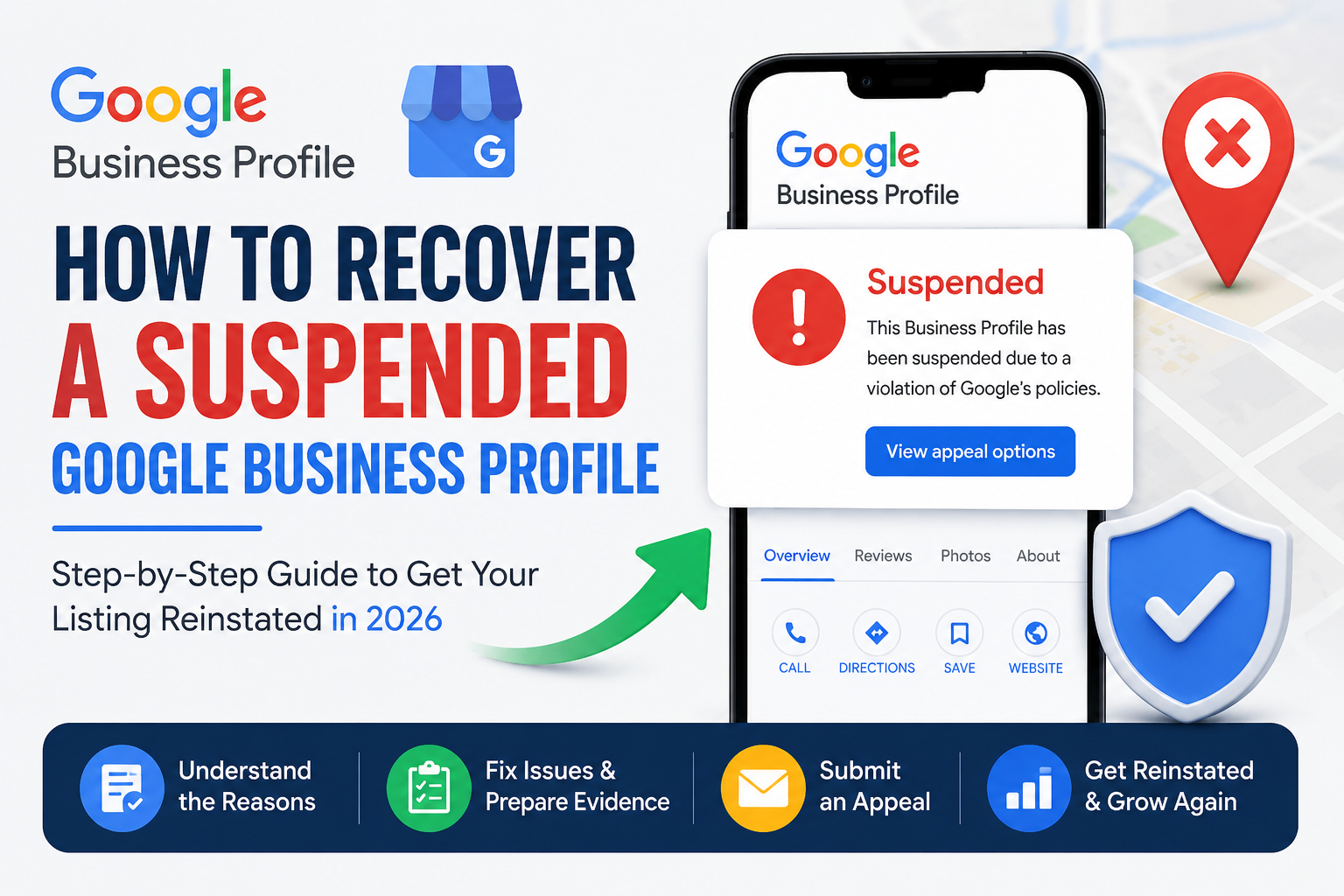
A suspended Google Business Profile can be confusing, especially if your business depends on Google Search and Google Maps to get calls, bookings, and customers.
The good news is that many suspended profiles can be recovered if the business is real, eligible, and follows Google’s rules.
The most important thing is to stay calm and fix the real problem before submitting an appeal.
If you want to understand the main reasons a profile may be suspended, read our full guide on Google Business Profile suspension and reinstatement.

What Does a Suspended Google Business Profile Mean?
A suspension means Google has limited or removed your Business Profile because it believes something may not follow its rules.
Your profile may disappear from Google Search or Google Maps, or you may lose the ability to manage it.
This can affect important customer actions such as:
- calling your business;
- getting directions;
- checking your opening hours;
- reading reviews; and
- visiting your website.
A suspension does not always mean your business is fake. Sometimes a real business can run into problems because its name, address, category, or verification information does not match how the business actually operates.
How Do I Recover a Suspended Google Business Profile?
The basic recovery process is simple:
- Find out why Google took action.
- Check your Business Profile carefully.
- Fix any real problems.
- Prepare your business documents.
- Submit an appeal through Google.
- Add supporting evidence if Google asks for it.
- Wait for Google to review your case.
Do not create another profile just because the first one was suspended. Google advises businesses not to create a new profile for the same business while an appeal is being reviewed.
Why Was My Google Business Profile Suspended?
There can be several reasons.
One of the easiest ways to understand the problem is to compare your Google Business Profile with your real business.
Ask yourself:
- Is my business name correct?
- Is my address real?
- Do customers actually visit this location?
- Is my business category correct?
- Does my website show the same business information?
- Do I have more than one profile for the same business?
- Can I prove that the business really exists?
If the answer to any of these questions is no, that may be the area you need to fix.
1. Your Business Name Has Extra Keywords
Your Google Business Profile name should normally be the same name that customers see in the real world.
For example, imagine a business is really called:
Johnson Plumbing
But the Google profile says:
Johnson Plumbing – Best Emergency Plumber Manchester 24/7
The extra words may have been added to improve rankings, but they are not part of the real business name.
A better profile would simply say:
Johnson Plumbing
Google’s guidelines say unnecessary information in the business name can cause problems, including suspension.
Simple rule
Use the name shown on your real:
- business sign;
- website;
- invoices;
- business documents; and
- branding.
Do not add keywords only because people search for them.

2. Your Business Address Is Wrong or Cannot Be Verified
Your address should show where your business really operates.
Problems can happen if you use:
- an old address;
- a P.O. box;
- a mailbox;
- a false office;
- a family member’s address;
- an empty property; or
- an address where the business does not really operate.
For example, imagine a digital marketing company works completely from home but rents a London mailing address.
No staff work there.
No customers visit there.
There is no permanent business sign.
That address should not be shown as a normal customer-facing office simply because it looks more professional.
Google expects the location on a Business Profile to represent the real business.
3. You Work From Home but Customers Do Not Visit You
This is very common for:
- plumbers;
- electricians;
- cleaners;
- mobile mechanics;
- locksmiths; and
- other service businesses.
Imagine an electrician works from home but travels to customers every day.
Customers never come to the electrician’s house.
In this situation, the business should normally be set up as a service-area business, with the home address hidden from customers.
Google says service-area businesses should remove their address from public view when customers are not served there.
If your profile is active but customers still cannot find you, you may have a separate visibility problem. For more information, read Why Is My Business Not Showing on Google Maps?.
4. You Have Two Profiles for the Same Business
Sometimes businesses accidentally create duplicate Google Business Profiles.
This can happen when:
- an old employee created a profile;
- an agency created another one;
- the business moved;
- the owner forgot the old login; or
- someone created a new profile after a suspension.
This can confuse both Google and customers.
Before creating anything new, search Google Maps using your:
- business name;
- telephone number;
- current address; and
- old address.
Check whether another profile already exists.
How Can I Find Out Why Google Suspended My Profile?
Google’s current appeal process can show information about the action taken against your profile and the related policy.
When you open the appeal tool:
- Choose the correct business.
- Read the reason shown.
- Open the policy link.
- Compare that policy with your business.
- Fix the real issue before appealing.
Do not change everything at once.
For example, if the problem is the address, focus on the address.
Do not randomly change your phone number, category, business name, opening hours, and services at the same time.
What Should I Check Before I Appeal?
Before sending your appeal, check your profile slowly.
Business name
Make sure it is your real business name.
Address
Make sure the business actually operates there and that the location is eligible.
Service area
Make sure you only list areas where you genuinely provide your service.
Business category
Choose the category that best explains what your business really does.
Phone number
Use a real business number that customers can call.
Website
Your website should clearly represent the same business.
Duplicate profiles
Check whether another listing already exists.
Business documents
Make sure you have documents that can help prove your business is real.

What Documents Do You Need for Google Business Profile Reinstatement?
Google may allow you to submit documents to support your appeal.
Examples can include:
- business registration;
- business licence;
- tax certificate;
- electricity bill;
- phone bill;
- water bill; and
- internet bill.
The information on these documents should support the business you are asking Google to review.
Simple example
Imagine your Google Business Profile says:
Oakfield Dental Care
18 Market Street
But your electricity bill says:
Oakfield Healthcare Ltd
72 King Road
There may be a real reason for this difference.
Maybe the clinic recently moved.
Maybe the legal company name is different from the trading name.
But you should understand the difference before submitting your evidence.
Do not send confusing documents without knowing why the information is different.
Prepare Your Evidence Before Opening the Form
Google may give you a limited amount of time to add supporting evidence after you start the evidence process.
That is why you should prepare everything first.
Create one folder on your phone or computer.
Put your important files inside it, for example:
- business registration;
- licence;
- tax document;
- utility bill; and
- other proof of your business.
Give each file a simple name so you can find it quickly.
For example:
business-registration.pdf
internet-bill.pdf
business-licence.pdf
This makes the appeal process much easier.
How to Submit a Google Business Profile Appeal
Step 1: Use the correct Google Account
Sign in with the account that manages the suspended Business Profile.
Step 2: Open Google’s appeal process
Use Google’s official Business Profile appeal system.
Step 3: Choose the correct business
If you manage more than one profile, make sure you select the right one.
Step 4: Read the problem carefully
Do not click through too quickly.
Read the reason Google gives you and open the related policy.
Step 5: Fix the problem
If the business name is wrong, correct it.
If the address is not eligible, fix the address setup.
If customers do not visit your home, check whether you should use a service-area profile.
Step 6: Submit your appeal
Keep your explanation simple and professional.
You do not need to write a long story.
Explain:
- what the business is;
- what you corrected;
- and that the profile now accurately represents the real business.
Step 7: Add your evidence
If Google allows you to upload documents, use the evidence you prepared earlier.
Step 8: Wait for the decision
Do not keep sending the same appeal again and again while Google is still reviewing it.
How Long Does Google Business Profile Reinstatement Take?
Google says appeal decisions can take up to several business days.
Some cases are simple.
Others may take longer if Google asks for more information or another verification step.
While you wait:
- check your email;
- do not create another listing;
- do not make unnecessary changes; and
- keep your documents ready.
What If Google Suspended My Profile After I Changed My Address?
This can happen after a business moves.
Imagine a dental clinic moves from:
20 Queen Street
to:
48 Queen Street
The owner changes the Google Business Profile immediately.
But the website still shows the old address.
The contact page still shows the old map.
The business documents still show the previous location.
Google now sees different information in different places.
Before appealing, make sure the new location is real and eligible.
Then update the real business information where necessary so that customers are not seeing old or incorrect details.
Do not keep changing the address backward and forward.
What If My Google Business Profile Was Suspended After I Changed the Name?
First ask one simple question:
Did my real business name change?
If the answer is yes, make sure you can show real proof of the new name.
If the answer is no and you only added keywords for SEO, remove the extra words.
For example:
Wrong:
ABC Plumbing Best Emergency Plumber London
Better:
ABC Plumbing
Your Business Profile should describe your real business, not a list of keywords.
How Do I Recover a Suspended Service-Area Business Profile?
Service-area businesses need to show Google that they really operate and meet customers in person.
Imagine a home-based plumber.
The plumber has:
- a work van;
- plumbing tools;
- business documents;
- a website;
- a business phone; and
- real customers.
Customers do not visit the plumber’s home.
In this case, the home does not need to pretend to be a plumbing shop.
The profile should correctly represent the business as a service-area business.
If Google asks for video verification, the plumber may need to show real business evidence such as the location, tools, equipment, vehicle, and proof that they manage the business.
If video verification is giving you problems, read Google Business Profile Video Verification Failed? Fix It.
What Should You Show in a Google Business Profile Verification Video?
Think of the video as a simple story.
Google needs to understand three things:
1. Where is the business?
Show something that helps identify the real location, such as:
- a street sign;
- house or unit number;
- nearby business;
- entrance; or
- surrounding area.
2. Is the business real?
Show things connected to the real work.
For example:
A plumber can show plumbing tools.
An electrician can show electrical equipment.
A cleaner can show cleaning machines and supplies.
3. Do you control the business?
Show that you can access something only the business owner or worker normally controls.
For example:
- unlock a work vehicle;
- open a private storage area;
- access a business booking system; or
- enter a staff-only area.
For more detailed help with this process, read our Google Business Profile video verification guide.
What If My Google Business Profile Appeal Is Rejected?
Do not immediately send the same appeal again.
Instead, check the profile again.
Ask:
- Is my business eligible?
- Is the business name correct?
- Is the address real?
- Should I be using a service-area profile?
- Do my documents support my business information?
- Does another profile exist?
- Does my website show the correct information?
A rejected appeal can mean that something is still unclear or incorrect.
Your next step should be to find that problem, not simply press the appeal button again.
7 Mistakes to Avoid During Google Business Profile Recovery
Avoid these common mistakes:
- Creating another profile after suspension.
- Sending an appeal before checking the problem.
- Adding fake or keyword-filled business names.
- Using an address where the business does not really operate.
- Showing a home address when customers never visit.
- Sending documents that do not support the profile.
- Making many random changes while the appeal is being reviewed.
A slower, careful review is often better than rushing.
Google Business Profile Recovery Checklist
Before appealing, make sure:
- your business name is correct;
- your location is genuine and eligible;
- your service area is realistic;
- your category matches your business;
- your phone number works;
- your website shows accurate information;
- no duplicate profile exists;
- your documents are ready; and
- you have read the policy connected to the suspension.
Frequently Asked Questions
Can a Suspended Google Business Profile Be Recovered?
Yes. Google provides an appeal process for eligible suspended Business Profiles. However, Google makes the final decision.
Should I Create a New Profile After Suspension?
Usually, no. Creating another profile can make the situation more confusing, especially while an appeal is already being reviewed.
Can I Use My Home Address?
You can operate a business from home, but if customers do not visit the address, it should generally not be shown as a public storefront.
Can I Use a Virtual Office?
A mailing address alone does not automatically qualify as a valid Business Profile location. The business needs to meet Google’s location requirements.
What Documents Can Help With Reinstatement?
Business registration, licences, tax documents, and relevant utility bills may help support an appeal.
Why Was My Appeal Rejected?
Possible reasons include incorrect business information, an ineligible location, weak evidence, duplicate listings, or a business setup that does not meet Google’s rules.
What If My Profile Is Active but Still Not Showing on Google Maps?
That may be a ranking or visibility issue rather than a suspension. Read Why Is My Business Not Showing on Google Maps? for a step-by-step explanation.
Final Thoughts
Recovering a suspended Google Business Profile becomes much easier to understand when you remember three simple questions:
Is the business real?
Is the business eligible?
Does the profile correctly show how the business operates?
If your profile, website, address, and documents all tell the same true story, your appeal will be much easier for Google to understand.
Do not try to trick the system.
Do not create fake addresses or artificial business names.
Focus on accurate information and real evidence.
For a deeper explanation of suspension causes, profile eligibility, duplicate listings, virtual offices, and reinstatement mistakes, read our complete Google Business Profile suspension recovery guide.
And if your profile is restored but you still struggle to appear in local searches, read Why Is My Business Not Showing on Google Maps?.